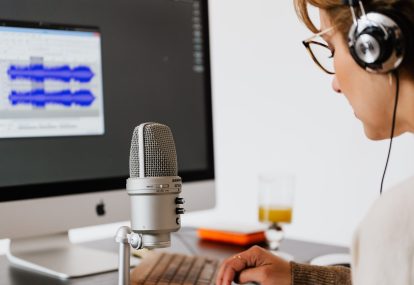
A host I was talking to last week asked me which audio cleanup tool he should be using. He’d seen Adobe Podcast Enhance get evangelized in a podcasting subreddit, Auphonic mentioned in a course he bought, and Levelator recommended in an old Reddit thread from 2017.
He wanted to know which one was “the best.”
The honest answer is that they don’t really compete. They sit in different parts of a workflow, do different things, and the question of which one is best is a bit like asking which is the best knife. It depends on what you’re cutting and what else is in your kitchen.
Here’s a working editor’s take on the four tools that come up most in our client conversations, what each one actually does, and how we use them inside Podcast Engineers.
Auphonic
Auphonic is a cloud-based audio processing service. You upload a file, it runs a chain of processing on it, and you download the result.
What it does well: loudness normalization, leveling between speakers, noise gating, light cleanup, and exporting to spec for podcast hosts. It also handles metadata, chapter markers, and multiple output formats in one pass.
What it doesn’t do: it doesn’t make editorial cuts, it doesn’t restructure a conversation, and it doesn’t replace listening to your edit. The processing is uniform across the whole file, which is mostly what you want for leveling but is the wrong choice for surgical work.
Where Auphonic shines: shows where you have two or three speakers at wildly different volumes and you need them balanced consistently across every episode without manually riding faders. We use it inside our workflow on certain client shows as a leveling pass after the editorial cuts are done, before mastering.
The free tier gives you two hours of audio per month. Paid plans start around $11 a month for nine hours, which works for most weekly indie podcasts.
Adobe Podcast Enhance
Adobe Podcast Enhance is the one that gets the most evangelism right now. It’s free at podcast.adobe.com, runs in the browser, and uses machine learning to denoise speech and add the impression of a treated room.
What it does well: it eats reverb, hum, and background noise that would otherwise be very hard to get out. If you recorded a Zoom interview where one guest sounded like they were in a tiled bathroom, Enhance fixes most of that in one click. It’s genuinely useful for rescuing audio you’d otherwise have to discard.
What it doesn’t do well: it can over-process. Voices that were already clean get a slight artificial quality, a kind of “AI sheen” that experienced listeners can hear. On heavily processed audio it sounds robotic. On lightly processed audio it sounds fine. The threshold matters.
Where Adobe Podcast Enhance shines: remote interview rescues. If your guest’s audio came in unusable and you can’t re-record, Enhance is often the difference between releasing the episode and burying it.
Where it falls short: as a primary cleanup tool for a host who already has decent audio. You’re trading naturalness for cleanness, and most established shows don’t need that trade.
We use Adobe Podcast Enhance sparingly inside our workflow, almost always on a guest track that has a specific problem we can’t solve any other way. We do not run it as a default pass on every file.
Levelator
Levelator is the original. Released in 2007 by The Conversations Network, it ran simple multiband compression on a file and made everything sit at a more consistent level. It was free, it was fast, and for years it was a staple in podcasting tutorials.
Here’s the problem in 2026: it’s effectively abandoned. The last meaningful update was years ago. It doesn’t run reliably on current macOS, especially on Apple Silicon. Windows users report mixed results. The original site is barely maintained.
If you’re reading a tutorial that recommends Levelator, the tutorial is probably eight to ten years old. Use Auphonic instead. It does what Levelator did and more, and someone is actually maintaining it.
Audo Studio
Audo Studio is the less-discussed competitor to Adobe Podcast Enhance. It uses similar AI-based denoising and voice clarity processing, with a slightly different sound. Some editors prefer it on certain voices because the processing artifacts are different.
Free and paid plans are available. The interface is straightforward.
We’ve used Audo Studio in a few client situations where Enhance was over-processing and we wanted a second opinion before going back to manual cleanup. It’s worth knowing about, but for most workflows Adobe Podcast covers the same ground.
How We Actually Use These Tools at Podcast Engineers
The honest version of our workflow looks like this.
When raw audio comes in, the editor listens to the first ten minutes and identifies what kind of problems are in the file. Most of the time, there are no AI tools involved at this stage. It’s manual editorial work: removing filler words, tightening pacing, cutting the false starts.
Once the editorial cuts are done, the editor decides what processing the file needs. For most shows, this is a manual EQ and compression pass in our DAW. The editor knows what the host’s voice should sound like and shapes the audio to match.
If there’s a specific cleanup problem we can’t solve manually (a guest with a noisy room, a clip with hum we can’t notch out), the file goes through Adobe Podcast Enhance or Audo Studio on the problem section only.
Loudness normalization for the final mix happens through our standard mastering chain, not through Auphonic, on most shows. We use Auphonic when a client specifically wants its automated leveling profile, or when we’re processing a high volume of similar files and want consistency across them.
The point is, none of these tools replace the editor’s judgment about what the show should sound like. They handle pieces of the work. They do not handle the work.
When AI Cleanup is Enough on Its Own
There’s a real question hidden in this comparison: can a host skip professional editing entirely and just run their files through Adobe Podcast Enhance plus Auphonic?
For some shows, yes. If you’re recording a clean solo monologue in a treated room with a good mic, doing your own editorial cuts, and you just want consistent loudness across episodes, this combination is enough. You don’t need an editor.
For most shows, no. The reason isn’t that the tools are bad. The reason is that the work an editor does (pacing, narrative cuts, music beds, consistent sound design across episodes) isn’t what these tools are designed for.
We wrote about why AI editing alone isn’t ready yet for shows that need more than cleanup. The short version: AI handles the mechanical part. The editorial part is still human work.
The Short Answer
If you only have time for one tool: Adobe Podcast Enhance for rescuing bad audio you can’t re-record. Free, browser-based, useful in a pinch.
If you want a consistent leveling pass across all your episodes: Auphonic, with the paid plan if you release weekly.
If you saw Levelator recommended in an old article: skip it.
If you want to layer multiple tools in a workflow: Adobe Podcast for cleanup, Auphonic for leveling, manual editing for everything else.
If your show is past the point where you should be running its production yourself and you’d like to see what handing off looks like, happy to take a look at a recent episode and tell you what we’d change. We’ve worked on 350 plus podcasts since 2013, so we’ve seen most of the rescue scenarios these tools were built for.
Related Articles

Outsource Podcast Editing First. Then Stop and Look Before You Hand Over Anything Else.
Your Listeners Can’t Hear Your Microphone. They Can Hear Your Pacing.
Branded Podcast Agency: Most Companies Buy the Wrong Tier